

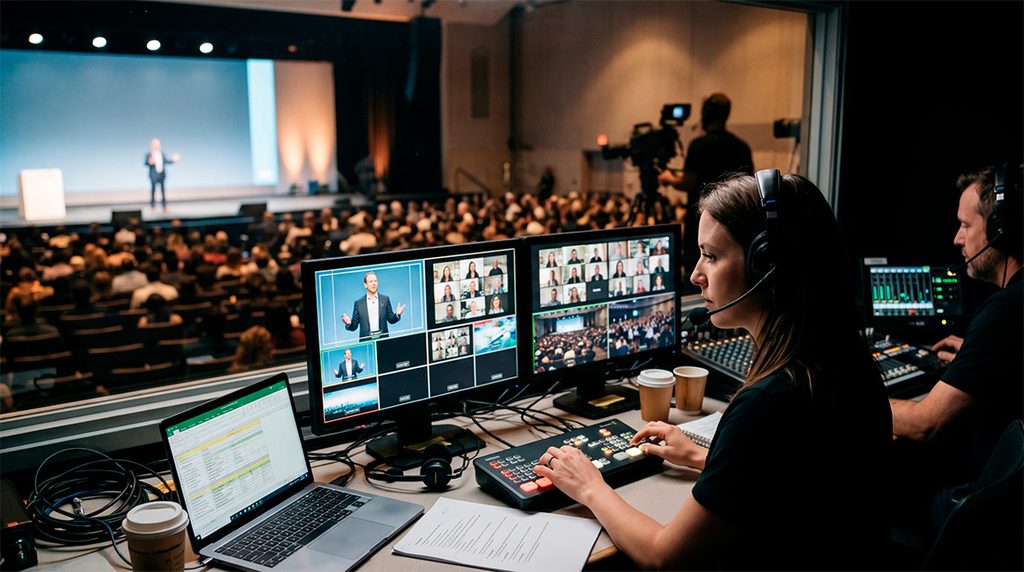
Every hybrid event has two audiences. One is sitting in the venue, surrounded by the energy of a live crowd. The other is watching on a laptop or phone, often with email open in another tab and plenty of reasons to click away.
Both audiences want the same things from the event: clear information, a sense of connection, and a reason to stay. They experience it very differently. A moment that feels electric in the room can fall flat on a stream. A slide that reads well on a 20-foot screen can be unreadable on a phone.
The companies that get hybrid events right don’t point a camera at the stage and hope for the best. They design for both audiences from the start. Here’s how.
Before choosing a venue or building an agenda, walk through the event from each audience’s perspective.
Map two attendee journeys.
For in-person attendees, that means arrival, registration, seating, sightlines, breaks, networking, and the exit. For online attendees, it means the registration email, the login, the first thing they see on screen, how they ask questions, what happens during breaks, and how the stream ends.
Putting the two journeys side by side shows where they diverge, and those gaps are where hybrid events usually lose people. It also gives every decision that follows a simple test: Does this work for both audiences?
Build a run of show for the stream, too.
A traditional agenda is written for the room. A hybrid event needs a run of show that accounts for what’s happening on screen at every moment.
Online attention spans are shorter, so long segments that work in person may need to be broken up for the stream with graphics, video, a speaker change, or a quick audience poll. Plan transitions rather than improvise them, because a 90-second stage reset that goes unnoticed in the room feels like dead air online.
Breaks deserve their own plan. Instead of a holding slide, consider stream-only content: a host recapping key points, short interviews with speakers, or a behind-the-scenes look at the event.
Design the stage for the camera.
Stage design used to be about what the audience in the room could see. In a hybrid event, the camera is also an audience member, and often the one with the biggest reach.
That affects nearly every stage choice. Lighting needs to flatter speakers on camera while also filling the room, which usually means more front light and fewer harsh shadows. Test LED walls and backdrops on camera, since some patterns and screen resolutions create flicker or distortion. Place lecterns, furniture, and confidence monitors so speakers can face both the crowd and the lens.
Include camera positions in the floor plan from the start. Placing them after the room is set usually means compromised angles or cameras blocking someone’s view.
Make audio the shared foundation.
Sound is the one element both audiences depend on equally, and it’s the first thing remote viewers notice when it goes wrong.
A strong hybrid audio plan includes a separate broadcast mix built for headphones and laptop speakers, a microphone on every voice that will be heard, including audience questions, and an engineer monitoring the stream feed throughout the event. When remote presenters join, their audio should be clean enough in the room that in-person attendees don’t strain to follow.
Give remote attendees a real way in
Online audiences stay engaged when they can participate, and they tune out quickly when they can’t.
Build interaction into the format from the beginning. Assign a moderator to watch online questions and bring them into the live Q&A alongside questions from the room. Run polls that both audiences answer and show the combined results on screen and on stage. Have presenters acknowledge the online audience by name or location when it fits.
Small gestures matter. When a speaker reads a question from someone watching remotely, everyone online hears that they’re part of the event.
Bring remote presenters into the room.
When a speaker joins remotely, the in-person audience needs to feel their presence, too. Display them large enough on stage screens for the back row to see. Give them a return feed so they can see and hear the room. Plan for the slight delay in conversation, and rehearse any back-and-forth with on-site moderators.
The goal is one conversation that includes everyone, whether they’re on stage or on screen.
Design content for the smallest screen
Many online attendees watch on a laptop, and some on a phone. Presentation design should account for that.
Use larger type and fewer words per slide. Avoid dense charts that only read well up close. Send slides directly to the stream as a clean feed so they stay sharp, and use lower-third graphics to identify speakers and reinforce key points. Keep branding consistent across the stage, the stream, and the event platform so both audiences feel like they’re at the same event.
Staff it like a broadcast.
Producing for the room and the screen at once takes more than a technician at a soundboard. A well-run hybrid event typically includes a show director calling cues, a technical director switching cameras and graphics, an audio engineer handling the broadcast mix, and a stream producer managing the platform, remote presenters, and online audience.
Each role has a clear job, and the team works from a shared plan. That structure is what keeps the show running smoothly when something unexpected happens, which in live events it usually does.
Intentional production makes the difference.
Hybrid events succeed when both audiences feel they were part of the same experience. That doesn’t happen by accident. It takes deliberate choices about staging, sound, content, interaction, and staffing, made early and with both audiences in mind.
Corporate AV partners with companies to design and produce events that work in the room and on the screen. If you’re planning a hybrid event, talk with our team during the planning stage, while there’s still time to build the experience the right way.